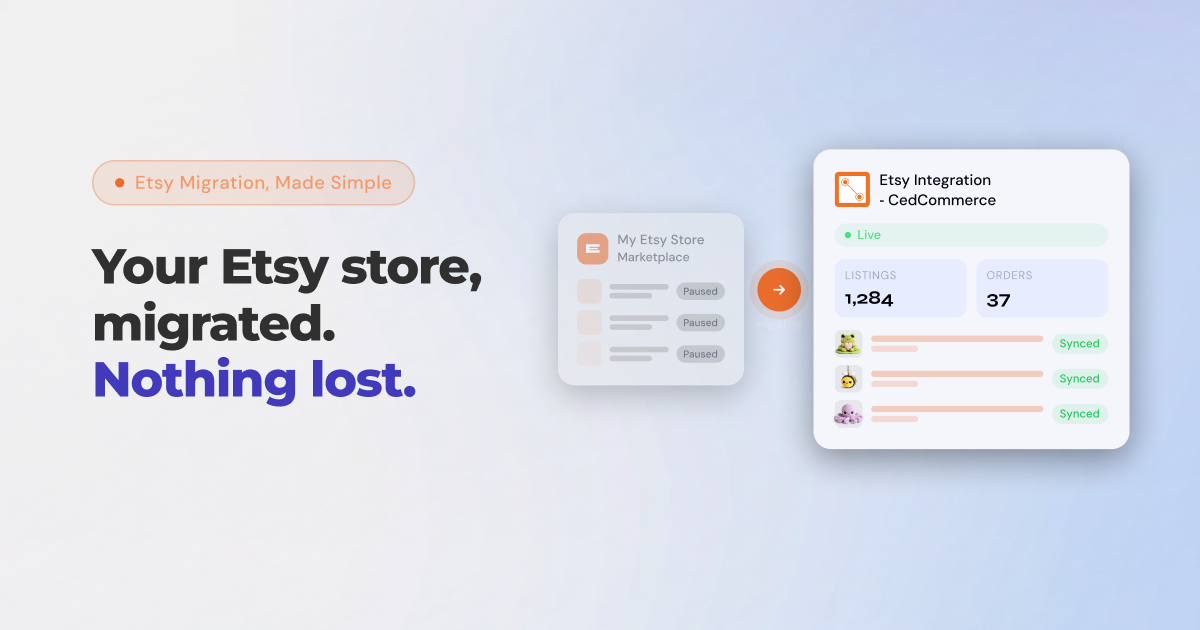

If you’ve been running your Etsy store through Shopify Marketplace Connect, you’ve probably already felt the ground shift. Onboarding for new sellers has been quietly paused, and if the pattern holds, a full wind-down of the Shopify Etsy integration is likely next. For thousands of sellers, this is a disruption to the syncing, inventory management, and order workflows they’ve built their business on. The good news?
You don’t have to scramble.
CedCommerce’s Etsy Integration app is built precisely for this moment, and we’ve designed a migration path that protects your listings, your inventory, and your time. Here’s everything you need to know.
Shopify Marketplace Connect was designed as a broad, multi-channel tool that covers Amazon, Walmart, eBay, and Etsy under one roof. While that sounds convenient, the trade-off has always been depth. Channel-specific features, nuanced listing controls, and Etsy-native workflows tend to be deprioritised in favour of a one-size-fits-all approach.
Now that new sellers are no longer being onboarded to the Shopify Etsy integration within Marketplace Connect, existing sellers have no long-term roadmap. If you’re still on Shopify Marketplace Connect today, you’re running on borrowed time. And the worst outcome would be waiting until the integration fully shuts down before looking for an alternative.
The smarter move is to migrate now, while everything is still intact, rather than in a crisis.
What This Means for Your Etsy Listings and Listing Fees
The real risk is beyond losing a tool, such as what happens during a rushed or poorly handled migration. Etsy charges $0.20 per listing. If a migration goes wrong and your existing Shopify products end up creating duplicate listings on Etsy instead of linking to the ones already there, you could be looking at tens or even hundreds of dollars in unnecessary listing fees, depending on your catalogue size.
Beyond the cost, there’s the operational disruption that looks like broken Etsy inventory sync with Shopify, orders that don’t flow through, and listings that go live out of sequence. For sellers managing hundreds of SKUs across both channels, this can directly impact sales and customer experience.
How CedCommerce Handles Your Shopify Etsy Integration Migration 
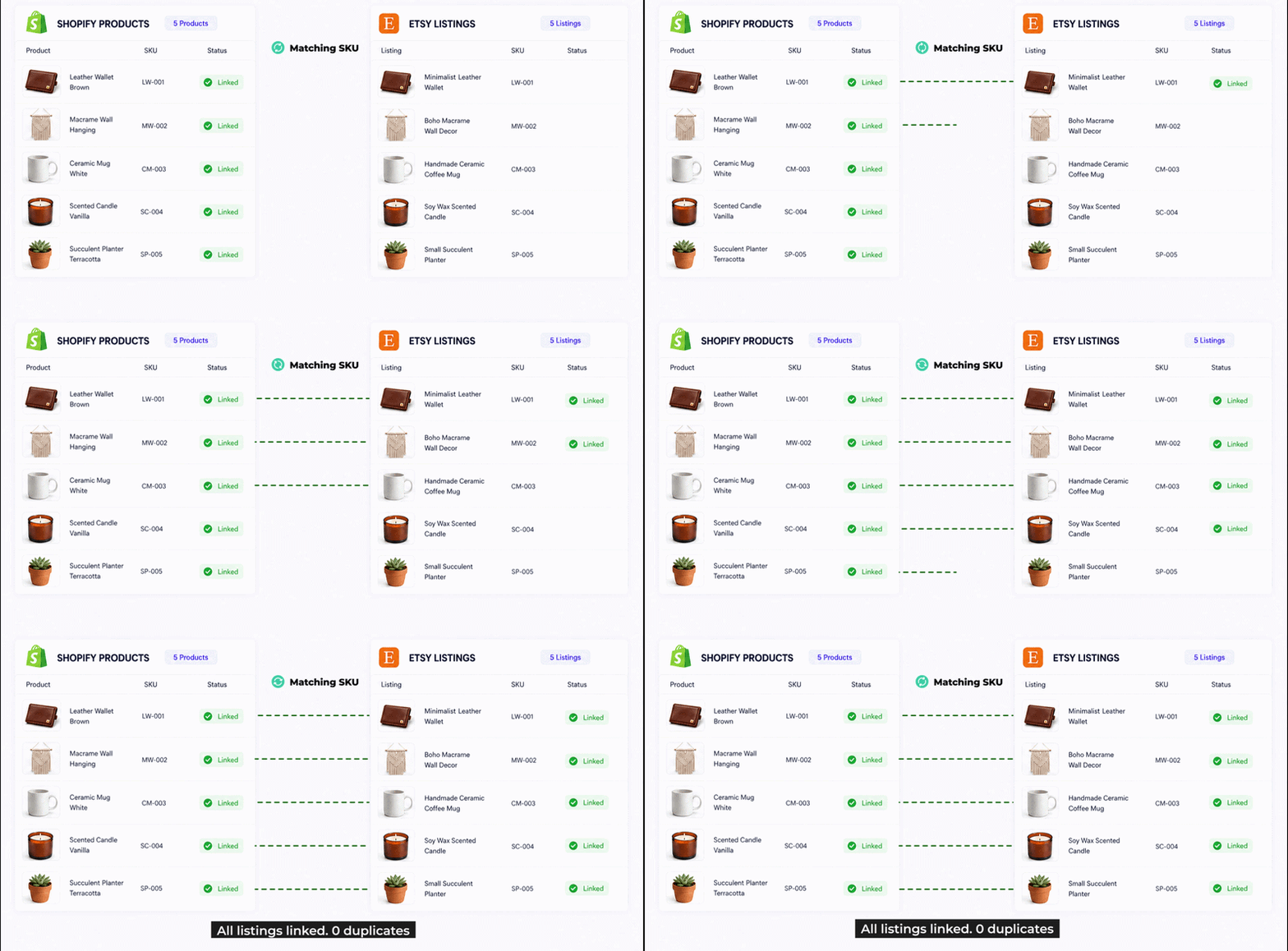
The CedCommerce Etsy Integration app is purpose-built for Etsy sellers on Shopify. When you migrate from Shopify Marketplace Connect, here’s exactly what happens:
1. Auto-Import and Instant SKU Mapping — No Duplicate Listings
The moment you connect your Shopify and Etsy accounts, CedCommerce automatically imports your products from both channels and matches them using SKU mapping. That way, your existing Etsy listings are linked to your Shopify products, instead of being duplicated. You won’t be charged a single unnecessary $0.20 listing fee because we recognise what’s already live and connect it, rather than recreating it.
This is the most critical step of any Shopify Etsy integration migration, and it’s fully automated.
2. Etsy-Shopify Inventory and Order Sync Starts Working Immediately
Once your accounts are linked, inventory levels and order data begin syncing between Shopify and Etsy without any manual setup. Stock updates on one channel reflect on the other. Orders from Etsy flow directly into your Shopify dashboard. There’s no lag period where you’re managing two channels separately.
3. Profiling Only for New Listings — Not Your Existing Ones
One of the most frustrating parts of switching tools is being asked to configure everything from scratch. However, with CedCommerce, profiling — setting up categories, attributes, and listing requirements — is only required for new listings you create going forward. Your existing listings are migrated and linked as-is. You don’t have to re-enter data you’ve already set up.
4. Shipping Templates and Processing Profiles — Imported, Not Rebuilt
If you’ve spent time setting up shipping templates and processing profiles on Etsy, that work isn’t lost. CedCommerce’s migration flow imports your already-configured templates and profiles directly, so you’re not starting from zero. The setup you’ve done carries over.
Why CedCommerce Is the Best Etsy Integration App for Shopify Sellers
Here’s what makes CedCommerce the choice worth making for the long term:
Built for Shopify Badge + Dedicated Etsy-Shopify Integration
CedCommerce’s Etsy Integration holds the Built for Shopify badge and is dedicated entirely to the Shopify-Etsy relationship. That means deeper feature coverage, faster support response times for Etsy-specific issues, and a product roadmap driven by what Etsy sellers actually need.
Connect Multiple Etsy Accounts to One Shopify Store
Running more than one Etsy shop? CedCommerce supports connecting multiple Etsy accounts to a single Shopify store. Whether you’re selling jewellery in one shop and home décor in another, you can manage both from one Shopify dashboard without switching between apps or accounts. This is particularly powerful for sellers who have built distinct niches across separate storefronts.
Cross-List on Pinterest Directly from Your Etsy Listings
CedCommerce goes beyond Etsy. From inside the app, you can create Pinterest pins directly from your Etsy listings, turning your product catalogue into social discovery content with minimal extra effort. For sellers who rely on visual platforms to drive traffic, this is a meaningful addition that most Shopify Etsy integration apps don’t offer.
Core Features for Smooth Multichannel Operations
Beyond migration, CedCommerce gives you the full toolkit:
- Real-time inventory sync — no more overselling or stock mismatches
- Bulk listing management — update prices, titles, and attributes across multiple listings at once
- Automated order sync — Etsy orders appear in Shopify and can be fulfilled from one place
- Listing templates — create reusable profiles to list new products faster
- Error alerts — get notified when a listing fails to publish, with clear guidance on what to fix
Exclusive Migration Offer for Sellers Leaving Shopify Marketplace Connect
We understand that switching your Shopify Etsy integration is an investment of time and trust. To make the decision easier, we’re offering migrating sellers an exclusive 30% discount on all plans for the first 3 billing cycles.
Here’s how the numbers look:
- Beginner Plan ($29/month) — pay $20.30/month for the first 3 cycles, saving $60.90
- Growth Plan ($59/month) — pay $41.30/month for the first 3 cycles, saving $53.10
- Enterprise Plans — 30% off applies across the first 3 cycles (contact us for custom pricing)
This offer is available specifically to sellers who connect via the migration path. The discount is applied against standard pricing and is clearly disclosed at checkout, in line with Shopify’s app store policies.
How to Migrate Your Shopify Etsy Integration — Step by Step
The process is straightforward:
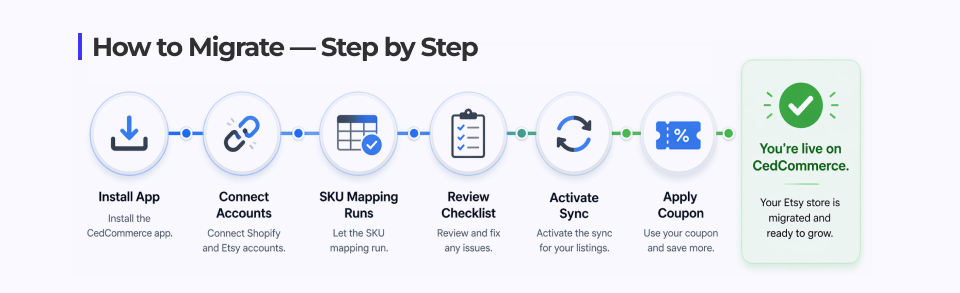
- Install the Etsy Integration-CedCommerce app from the Shopify App Store
- Choose a plan, and connect your Shopify store with your Etsy account(s)

- The app automatically imports your products from both platforms and runs SKU mapping to link existing listings
- Review the migration checklist: a pre-migration screen shows you exactly what will be transferred before anything is changed
- Confirm and activate: inventory sync and order sync go live, and you’re running on CedCommerce
- Apply the migration coupon at checkout to activate your 30% discount for the first 3 cycles
Your Etsy store remains completely unaffected throughout. Nothing is deleted, nothing goes dark, and nothing duplicates.
Don’t Wait for the Integration to Shut Down
Migrating now means you get to do it properly: with SKU mapping, automated linking, your templates intact, and a significant discount locked in. Those who come out of this transition in the best shape will be the ones who move now.
CedCommerce has been building Shopify Etsy integration solutions since before multi-channel commerce was mainstream. This isn’t a pivot or a quick feature add; it’s the core of what we do. And we’re here to make sure your transition is the last one you have to make.
Ready to migrate?
Install Etsy Integration – CedCommerce on the Shopify App Store and start your migration today. Use the exclusive migration offer at checkout to get 30% off your first 3 billing cycles.
FAQs
Q1. Is Shopify Marketplace Connect still supporting Etsy?
As of early 2025, Shopify Marketplace Connect no longer accepts new Etsy connections. Onboarding for new sellers has been paused, and while some existing users may still have active syncs, there is no confirmed long-term roadmap for the Etsy integration within Marketplace Connect. Sellers are advised to migrate to a dedicated Shopify Etsy integration app to ensure continuity.
Q2. What is the best alternative to Shopify Marketplace Connect for Etsy sellers?
CedCommerce Etsy Integration is widely regarded as the leading alternative. It is purpose-built for the Shopify-Etsy relationship, holds the Built for Shopify badge, and offers automated SKU mapping to migrate existing listings without creating duplicates. Unlike other tools, it is dedicated entirely to Etsy, with deeper feature coverage and Etsy-specific support.
Q3. Will switching integration apps create duplicate listings on my Etsy store?
It can, if the migration tool doesn’t use SKU mapping to link existing listings. Every new duplicate listing on Etsy triggers a $0.20 listing fee. CedCommerce’s migration flow auto-imports products from both Shopify and Etsy and matches them by SKU, linking what’s already live rather than recreating it. This eliminates duplicate listings entirely during migration.
Q4. Do I need to reconfigure my shipping templates and processing profiles when I switch apps?
No, not with CedCommerce. The migration flow imports your already-configured Etsy shipping templates and processing profiles directly, so you don’t need to rebuild them from scratch. Moreover, profiling is only required for new listings you create after migration; your existing listings carry over as-is.
Q5. Can I connect more than one Etsy shop to my Shopify store?
Yes. CedCommerce Etsy Integration supports multi-account connections, meaning you can link more than one Etsy shop to a single Shopify store. This is particularly useful for sellers running separate shops for different product niches. For example, one shop for handmade jewellery and another for home décor, all managed from one Shopify dashboard.
Q6. What happens to my existing Etsy listings and inventory when I migrate?
Your existing Etsy listings are not affected when you choose CedCommerce. The app links them to your Shopify products using SKU mapping without deleting, deactivating, or duplicating anything. Additionally, inventory and order sync activates automatically once the connection is confirmed, and your Etsy store continues operating normally throughout the process.
Q7. Is there a discount for sellers migrating from Shopify Marketplace Connect?
Yes. CedCommerce is offering an exclusive 30% discount on all plans for the first 3 billing cycles for sellers migrating from Shopify Marketplace Connect.
Q8. Can I use CedCommerce to cross-list my Etsy products on Pinterest?
Yes. CedCommerce Etsy Integration includes a Pinterest cross-listing feature that lets you create Pinterest pins directly from your Etsy listings within the app. This allows sellers to extend their product discovery on visual platforms without managing a separate tool or workflow