
Shopify adds offline payments support for multi-entity setups
Reading Time: 1 minuteShopify has announced that offline payments now work across multi-entity Shopify Payments…
Running short of time? Get PDF of the blog in your mail.
Your marketplace stack may be connected, but your attention is still split. A failed order, delayed shipment, or setup issue can send you back through screens and filters before you reach the detail that actually matters.
CedCommerce brings AI-powered marketplace intelligence directly into Shopify Sidekick, Shopify’s built-in AI assistant.
Marketplace operations are no longer confined to dashboards. You can now ask Shopify Sidekick about your marketplace business and receive information from your connected CedCommerce app inside the Shopify admin.
That changes the first step in everyday marketplace work. Now you can save time and react faster to opportunities by simply asking Sidekick questions instead of switching between tabs.
You start with the question, then move into CedCommerce if the answer requires action. Marketplace management just became conversational.
A routine marketplace check can follow the same process several times each day:
The process works, but every additional screen delays the answer you opened the app to find.
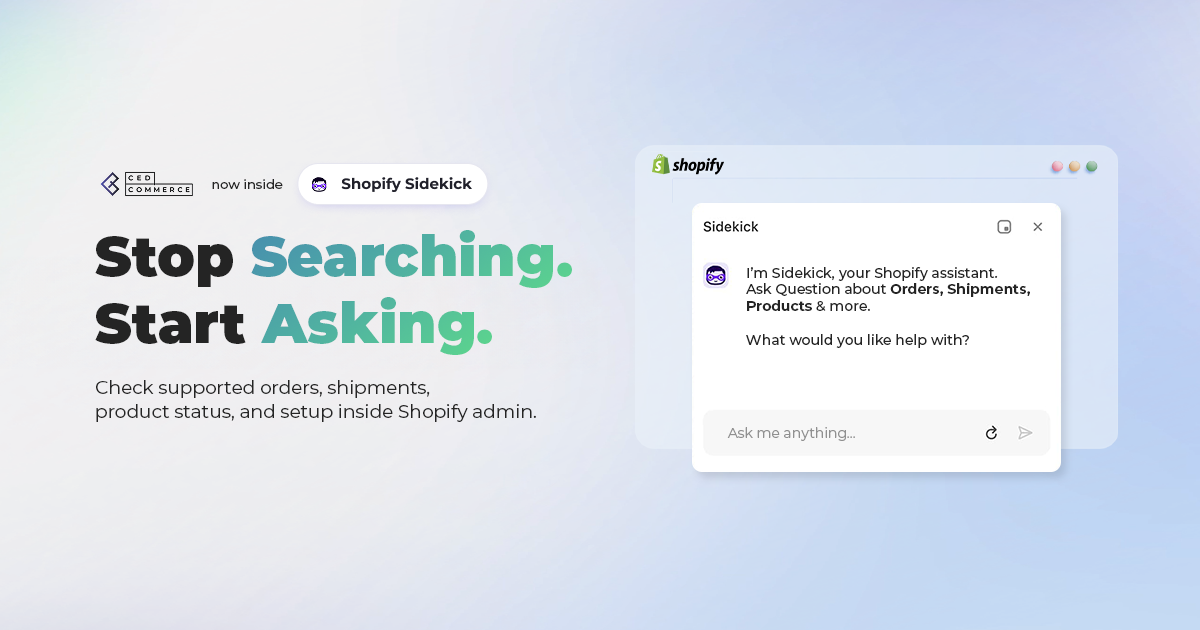
With Sidekick, you can begin with the question: “Which orders failed today?” Sidekick retrieves the information from your connected CedCommerce app and returns it inside the Shopify admin.
You can review what happened before opening individual records or reports. Stop Searching. Start Asking.

Shopify Sidekick is the AI assistant built into the Shopify admin. You can use everyday language to ask questions, get guidance, and work with your store information.
Shopify reports that weekly active shops using Sidekick have grown nearly 4x year over year. Sidekick app extensions bring installed apps into the conversation. They let Sidekick retrieve app data and guide you towards the relevant app workflow.
CedCommerce uses this connection to bring marketplace intelligence directly into Shopify’s AI assistant.
Start with a marketplace question you already check during the day:
The exact response depends on the CedCommerce app you use, your account data, your onboarding status, and the question you ask.
You can ask Sidekick about orders by date or order number. You can also check their status and understand why an order failed.
Try questions such as:
Sidekick can return:
Your morning review can now begin with the orders that need attention.
Ask which orders failed overnight, review the reasons inside Sidekick, and open CedCommerce when you need to resolve the issue.
You can ask Sidekick which orders shipped and which still need attention before a marketplace cutoff.
Try questions such as:
Sidekick can return:
This gives you a direct view of the exceptions that could affect fulfilment.
You can identify the shipment first, then move into CedCommerce to review the order and complete the next step.
You can ask Sidekick for guidance when you need help with marketplace onboarding or publishing.
Try questions such as:
Sidekick uses guidance from your CedCommerce app to explain the relevant process. This helps when you add a marketplace, revisit a setup workflow, continue onboarding, or prepare products for publishing.
Already connected? Open Sidekick and try the marketplace question you look up most often.
CedCommerce apps for Amazon, eBay, Etsy, and TikTok Shop currently work with Shopify Sidekick.
| CedCommerce App | Try Asking |
|---|---|
| Amazon integration for Shopify | “Show me today’s Amazon orders.” |
| eBay integration for Shopify | “How do I upload products to eBay?” |
| Etsy integration for Shopify | “Which Etsy orders failed today?” |
| TikTok Shop integration for Shopify | “How many TikTok Shop orders shipped today?” |
Capabilities vary by app and account data. Incomplete onboarding can also limit the response Sidekick returns.
Sidekick accesses marketplace information from your connected CedCommerce app after you ask a relevant question.
Before Sidekick uses an installed app, Shopify asks for your approval for the current conversation.
CedCommerce controls which customer information appears in the response:
The current CedCommerce release reads information only. You complete listing edits, publishing, cancellations, and other marketplace actions inside the CedCommerce app. This keeps every change under your review and control.
You do not need a separate Sidekick configuration once your CedCommerce app is connected and marketplace onboarding is complete.
Follow these 4 steps:
Begin with the check you repeat most often, such as “Which orders failed today?”
Already use a CedCommerce app? Open Shopify Sidekick and begin with the marketplace question you check most often.
Choose your marketplace integration and connect your Shopify store.
View All CedCommerce Marketplace Apps
More than 40,000 sellers use CedCommerce integrations to manage marketplace operations.
Source: CedCommerce data.
Shopify Sidekick is the AI assistant built into the Shopify admin. You can ask questions and get guidance using everyday language.
Sidekick app extensions allow installed apps to provide relevant information within the conversation.
CedCommerce apps for Amazon, eBay, Etsy, and TikTok Shop currently work with Sidekick.
The response you receive depends on the connected app, account data, onboarding status, and question type.
CedCommerce removes billing and shipping addresses from responses. Customer emails and phone numbers stay masked.
Order items, quantities, statuses, and totals can appear when they relate to your question.
The current CedCommerce release reads marketplace information only.
You complete listing edits, publishing, cancellations, and other marketplace actions inside CedCommerce.
You do not need a separate Sidekick configuration once your CedCommerce app is connected and marketplace onboarding is complete.
Open Sidekick, ask a marketplace question, and approve app access for the current conversation.
Get a live look at the integration changing how merchants operate.
Akash Chaddha
Partnerships Manager
Priyanshu Kumar
Engineering Manager
Date: 30 July
Time: 10:00 PM IST / 12:30 PM ET
Don’t miss this opportunity to see Shopify Sidekick and CedCommerce in action.


Reading Time: 1 minuteShopify has announced that offline payments now work across multi-entity Shopify Payments…
Reading Time: 2 minutes Key Updates Shopify is deprecating the “Sell from all locations to…
Reading Time: 6 minutes It just took one Black Friday crash for Gymshark to realize…

Reading Time: 10 minutes The New Holiday Reality The 2025 holiday shopping season is a…

Reading Time: 9 minutes BFCM 2025 Strategies: Why This Year Matters More Than Ever BFCM…