
Oxford Street becomes a TikTok Shop stage as brands bet bigger on livestream commerce
Reading Time: 4 minutes Kanzen Skincare and six other brands are preparing for what is…
Running short of time? Get PDF of the blog in your mail.
They are usually operational: which credentials apply, how authentication works in that market, and how quickly your team can validate the same core workflows again without breaking what already runs.
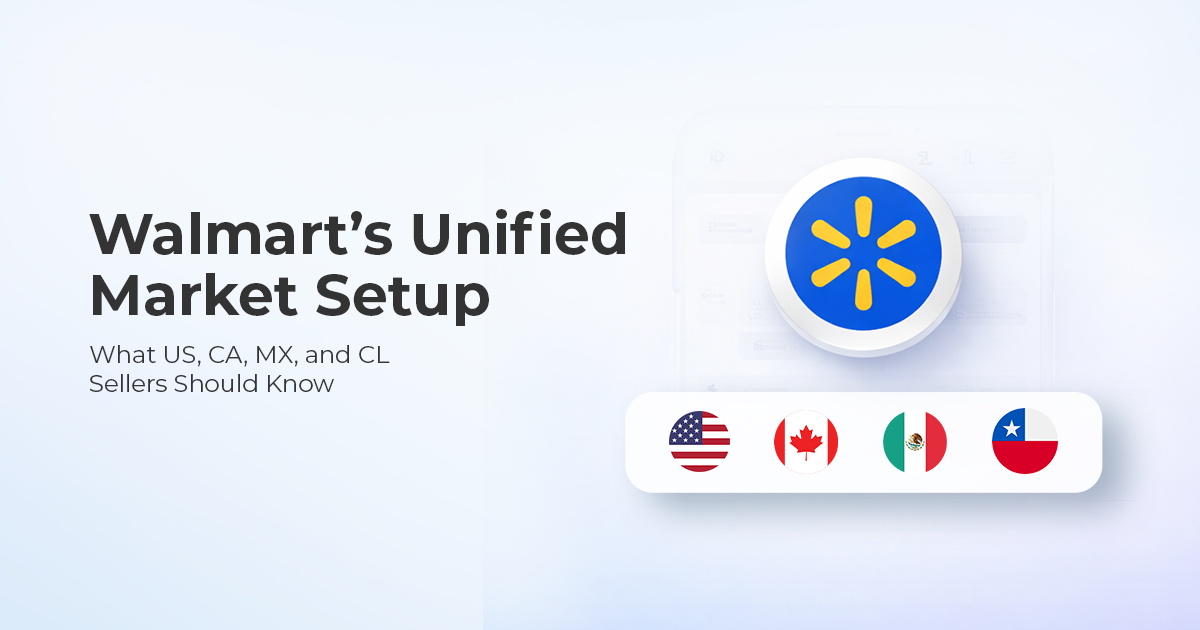
Walmart’s unified seller experience is designed to create a more consistent approach across markets, supported by unified documentation and a sandbox environment. If you manage Walmart integrations through CedCommerce, this is the change that determines your next move: whether you need to migrate, what setup requirements apply by market, and how to test safely before you touch production.
Use this blog like a checklist. Start by identifying your market today.
Walmart’s unified seller experience is built on five elements: a global unified URL, consistent authentication, a common technical specification, unified documentation, and sandbox support. The intended outcome is simpler development, faster market expansion, and lower maintenance overhead, using one consistent approach instead of separate market-specific setups.
This shift ties directly to three practical outcomes that most teams care about.
If you are a US-based seller expanding globally, this unified approach supports expansion into international markets without building separate market-specific integrations, while keeping US compatibility intact. If you are already selling internationally, moving to this model becomes the path to expand into additional markets using the same setup. The rollout also supports lower maintenance overhead and a more consistent seller experience across regions. New features going forward will also be available through this model.
If you want a quick test of relevance, ask yourself one question: are you planning to add Canada, Mexico, or Chile in the next 12 months, or are you supporting sellers who are?
Migration depends on the market you operate in. This is the decision point that should shape your plan.
Migration is not mandatory for the US. Existing US integrations continue to work as they do today. If you are US-only, you can treat this as an expansion enabler and adopt when ready, rather than as an immediate migration requirement.
Migration is mandatory for Canada, Mexico, and Chile market integrations, for both sellers and solution providers. These markets move to a common endpoint using OAuth2.0 authentication and JSON-based information exchange. Canada also moves away from certificate-based access.
Here is what that means in seller terms. If you operate in Canada and your current setup relies on certificate-based access, OAuth2.0 becomes a necessary part of your migration work because it changes how access is granted and maintained. If you are a solution provider supporting multiple sellers in CA/MX/CL, delegated access is not a detail. It is the gating item that determines when you can begin testing for each seller.
Yes, for now. Existing market-specific integrations for Canada, Mexico, and Chile continue to work until decommissioning communication is shared separately.
This matters because it allows a controlled approach. Teams can keep their current setup running while they implement the unified model in parallel, validate workflows, and reduce risk before any cutover decision.
For US sellers, the most useful shift is the ability to extend into international markets without building a separate integration from scratch.
A concrete scenario is already defined. If you have a working US integration and Canada onboarding is complete, you can use the same endpoint used for the US setup and extend into Canada by specifying Canada as the target market and using the referenced version in the call. The same extend-after-onboarding logic applies to other supported international markets.
If you want to make this actionable internally, ask two questions before your next expansion milestone. Have we completed onboarding for the target market, and do we have the correct credentials for that market in the right environment?
Start in sandbox, then move to production testing after sandbox integration is complete.
In sandbox, each endpoint provides canned responses. This is where teams validate request formatting, response parsing, and sequencing for key workflows without production variables.
After sandbox integration, production testing is available and recommended as a next step when needed. Any test data created in production must be cleaned up by the seller or solution provider.
A practical example helps. If your operations depend on stable order ingestion, sandbox is where you confirm that your integration correctly handles the responses for orders before you introduce real-world production conditions. When you do move to production testing, keep it controlled so cleanup stays manageable.
Access requirements vary by environment and by market, so credential planning needs to happen early.
Sandbox and production use separate client ID and secret. If you want to integrate with a new market, access is not automatic. You complete the one-time onboarding process for that market, obtain that market’s client ID and secret, generate an access token, and then start using the unified model for that market.
The setup path also differs by market:
If you want a simple internal control, treat market onboarding and market credentials as prerequisites, not parallel work, because testing cannot outrun access.
US: no. US sellers can adopt when ready. Canada, Mexico, and Chile: yes.
No. They continue until decommissioning communication is shared separately.
Start in sandbox using canned responses, then test in production after sandbox integration is complete, and clean up any test data created in production.
No. You complete onboarding for each market before using this setup for that market.

Reading Time: 4 minutes Kanzen Skincare and six other brands are preparing for what is…
Reading Time: 5 minutes When a seller expands to a new Walmart market, the first…

Reading Time: 10 minutes What if reaching hundreds of millions of Amazon customers didn’t mean…

Reading Time: 2 minutes Alibaba’s latest update shows that AI is becoming a much bigger…

Reading Time: 2 minutes A new industry study shows that agentic commerce is moving from…

Reading Time: 2 minutes Amazon has introduced new 1-hour and 3-hour delivery options for customers…

Reading Time: 16 minutes How to find, quantify, and validate winning Amazon products? Amazon product…
Reading Time: 2 minutes Amazon is rolling out a significant update that will directly impact…
Reading Time: 3 minutes Ulta Beauty is preparing to launch a curated storefront on TikTok…
Reading Time: 2 minutes Until now, falling below the 90% OTDR (On-time Delivery Requirement) could…
Reading Time: 5 minutes Amazon has formally expanded its Multi-Channel Fulfillment (MCF) operations in Europe…
Reading Time: 4 minutes Amazon has announced that Sponsored Products prompts and Sponsored Brands prompts…
Reading Time: 4 minutes Amazon has expanded access to its healthcare-focused AI assistant, Health AI,…
Reading Time: 4 minutes Amazon has officially launched its Spring Deal Days shopping event, offering…

Reading Time: 4 minutes eBay UK has announced a new partnership with global embedded finance…
Reading Time: 4 minutes TikTok Shop has officially launched its first-ever Fine Art category, marking…
Reading Time: 2 minutes eBay has temporarily paused international sales from the United States to…

Reading Time: 3 minutes Walmart Marketplace has expanded its Review Accelerator program with a new…
Reading Time: 3 minutes A significant policy change is coming to Amazon Wish Lists that…
Reading Time: 3 minutes A major shift is emerging in how Gen Z discovers and…