
Amazon vs Walmart vs Target Plus: What Changes Operationally for Sellers?
Reading Time: 11 minutes If you already sell on Amazon, adding Walmart or Target Plus…
Running short of time? Get PDF of the blog in your mail.
Zalora, a fashion destination for Asia, has placed itself at the forefront of growing online shopping business in Southeast Asia. With more than 350 million people having access to the internet in the region, it gives Zalora a vast untapped potential for eCommerce. To grow an online business based in the Southeast Asian region, you must consider alternate channels to sell as it is a hotbed for eCommerce right now. So, stay with us to know how to sell on Zalora and make your impact on the Southeast Asian marketplace even more.
Selling on Zalora is no rocket science until you have the right information and tools! In this article, I will tell you all the necessary things required!
Zalora marketplace currently is dwelling its roots deeper and deeper in the Southeast Asian market. Geographically, Zalora operated its e-commerce websites since 2012 in Indonesia, Malaysia, the Philippines, Singapore, Taiwan, Hong Kong, Thailand, and Vietnam.
Zalora is giving a good time to the sellers, selling in the Southeast Asian market. Their shopping app has been downloaded more than 4 million times on the app store. In 2018 Zalora observed the highest number on mobile engagements, grabbing 38% of mobile online buyers.
Zalora attracted more than 2.6milion customers in just six years since its inception. It also noticed more than 200 million visitors to its website.
[INFOGRAPHIC] Representing the enormous amount of fundraising Zalora received through the years.

Well, these stats were probably more than enough to prove that Zalora is the market’s rising star.
Before starting to sell on Zalora, be prepared with your brand logo and banners and some decent photographs of your products. Getting ready with these things before you set up your storefront will come quite handy and will save you a ton of time.
This step-by-step breakdown will help you to understand the process of seller registration easily.

Scroll down the page and In the “About us” section click on the “Sell with Us”.
Under the Get started tab you have to provide some necessary details.
Fill out the entire form and submit it. Now you have to wait until Zalora’s Strategic marketplace advisor responds to your submission. Usually, it doesn’t take more than seven days. Once you are notified to set up your shop, start it by setting up your shopfront, brand logo, brand name, and some good quality images.
Login to your Zalora seller center, which is the company’s one-stop location to manage products, monitor orders, and keep track of your sales.
You can customize the interface of your store as per the products and services that you provide.
Once you are done with the storefront garnishing and customization, now it’s time to upload your products.
Once you are done with the storefront garnishing and customization, now it’s time to upload your products.
Use high-quality images with proper lighting to encourage buyers to buy your products. Also, don’t forget to write a proper product description; this will give the customers more understanding of your product.
Once you are finished uploading all your products, match them with the appropriate prices. You will also have to maintain a proper stock in order to avoid overselling.
Start selling on Zalora NOW! by following these 4 simple steps and get ahead of your rivals.
One-by-one product upload is a tussling task. And If you are having a large inventory, it could probably take you hours or even days. Uploading your products, syncing them in their right categories and the struggle of logging into multiple stores repeatedly just consumes so much of your time.
“What if I told you, that you can save a ton of your precious time and efforts, from the struggle of uploading one by one product and managing multiple stores at once?”
Keeping in mind all the difficulties that a seller could possibly face during their selling journey, CedCommerce has come up with this remarkable Zalora integration for WooCommerce that will allow you to upload all your WooCommerce products to Zalora marketplace at once, sync both of your stores’ inventory and even manage them from a centralized place.
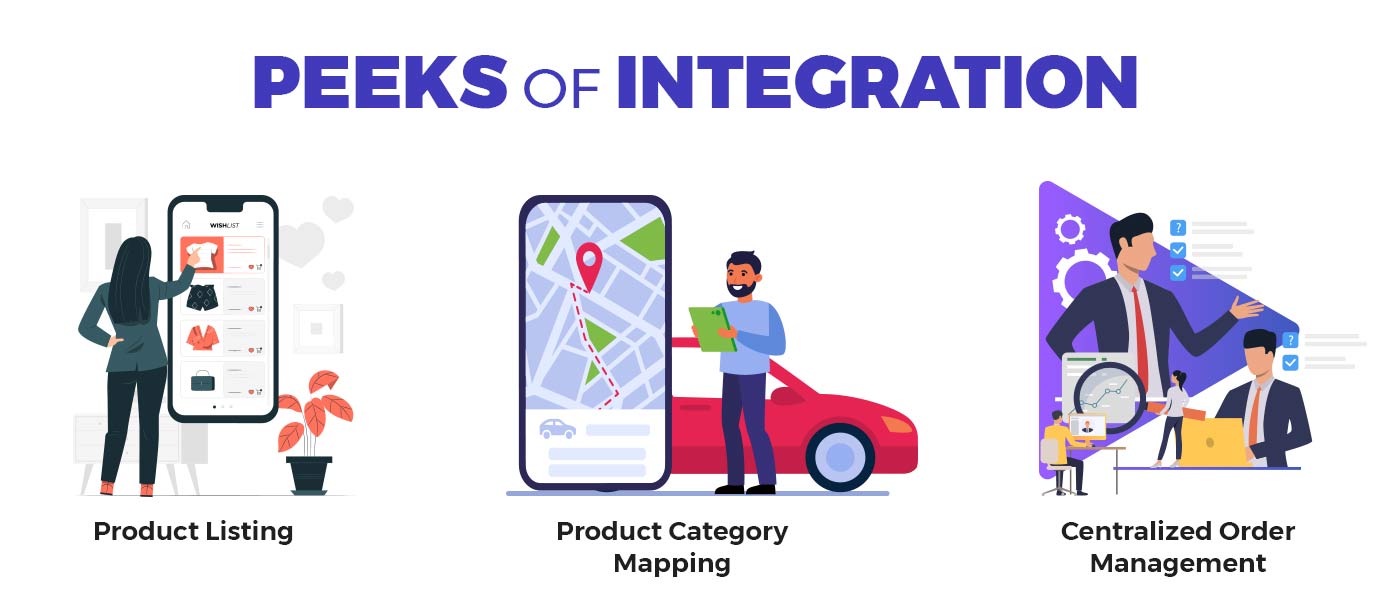
Product listing – List your products effortlessly on Zalora. With automated handling of Stocks and inventory, skip the old manual record-keeping process.
Product Category Mapping – The product category mapping implies, mapping multiple WooCommerce store categories to one Zalora Category. So, get your products automatically synced into relevant categories.
Centralized Order Management – With the Zalora marketplace integration, view, manage and process all types of orders on Zalora from your WooCommerce store. Order cancellations and other notifications are managed from a central unified dashboard.
So, there is no doubt that this integration will surely help you, by reducing the major efforts occur during your selling process.
Zalora doesn’t charge any fees until the registration process, but as soon as you start listing your products, the real cost occurs.
Some extra fees will incur while uploading multiple images of a product that will charge you every month. Charges may vary according to the product that you are listing.
Some hidden fees are also included, which a seller will incur as a result of products returned by customers.
The commission per product ranges from 10-30% but could vary according to Zalora policies.
The chart below shows a detailed list of all the fees charged on the Zalora marketplace:
As trends come and go, as a consumer, it almost seems impossible to settle for a particular set of products.
But, as a seller, it is very important to know the top-selling product categories on the marketplace you are selling on. If you want to be successful in generating a good amount of revenue,
Here are some top-selling product categories on Zalora:
More than just increasing your sales, Zalora offers you a perfect destination to showcase all your fashion related potential. It’s all about how to keep your consumers engaged through your products and services. Once you achieve their trust, there is no going back. Your ROI will rise way beyond your initial investment.
I hope this blog piece helped you in your way to set up yourself as a Zalora seller, and you find all the useful stuff required. Wishing you all the luck and growth in your business for this 2020.
Now that you know that how to sell on Zalora, you might have some questions revolvoing around your head. Anything you want to ask? Let us know in the comment section below.
(Images sourced from Zalora.com)

Reading Time: 11 minutes If you already sell on Amazon, adding Walmart or Target Plus…
Reading Time: 13 minutes Selling on another marketplace sounds straightforward when you already have a…
Reading Time: 18 minutes If you’re an established third-party brand or authorized reseller looking for…
Reading Time: 6 minutes Your marketplace stack may be connected, but your attention is still…
Reading Time: 2 minutes Intro Summary The European Union’s new €3 customs duty on low-value…

Reading Time: 3 minutes Major global marketplaces, including Temu, SHEIN, eBay, Amazon, and AliExpress, are…
Reading Time: 9 minutes Your buyers are not shopping in one place anymore. They search…

Reading Time: 2 minutes Alibaba’s latest update shows that AI is becoming a much bigger…

Reading Time: 2 minutes Google is expanding AI Mode’s role in eCommerce, pushing shopping deeper…

Reading Time: 10 minutes Did you end 2025 with excess stock and tighter margins, even…