
SHEIN Fulfillment Options Compared: How to Choose the Right Option
Reading Time: 10 minutes SHEIN Marketplace sellers work with two underlying fulfillment models: seller-managed fulfillment,…
Running short of time? Get PDF of the blog in your mail.
We have already talked about the importance of WooCommerce Product videos and how to get them created. The point is, how to add a product video to WooCommerce listings?
So, here we will discuss the pathway of adding your product video to your WooCommerce store.
So, here’s the point.
You have your video created successfully with the industry experts but you cant add them directly to your product listings.
To make this happen you need a Plugin!
To add product video to the WooCommerce store, it is essential to download and install a plugin to your online store, Now there are various plugins to make this task complete. Listing the top of them
WooThumb is one of the best plugins featured by WordPress which helps you add a video to your product listings and add multiple thumbnails to them.
You can customize your gallery layout using this plugin, like adding a slide product view with multiple product videos!
View the Plugin HERE
It is an Official extension that comes in the premium mode for WooCommerce. This plugin gives you the liberty to add product videos to your WooCommerce store directly from the platforms such as YouTube, Facebook, DailyMotion, Meta cafe, etc, and also you can add customized self-hosted videos to it.
It gives you a wide variety of formats also, MP4, MKV, AVI, MOV, FLV, WMV, and many more.
If you want to view this plugin, click here!
This plugin helps you to add audio and video to your WooCommerce store. This feature comes in both versions i.e a free one and a premium one also. Here you can
Also, helps the users to translate pages to their domestic language In case you need to view this plugin, then you can click
And, here for the Premium version
There are many more plugins available right now. But these are one of the best in the industry right now. You can choose as per your preference.
Now, the tool to be used is here, to add a product video to the WooCommerce store, you need to follow these steps
Now, the plugins have already been stated. Pick the one you want to use.
You need to install the extension to your Woocommerce store. To be more accurate, let’s say you want to use WooThumbs. First of all, buy the extension and download the zip file.
Once you are done with this then
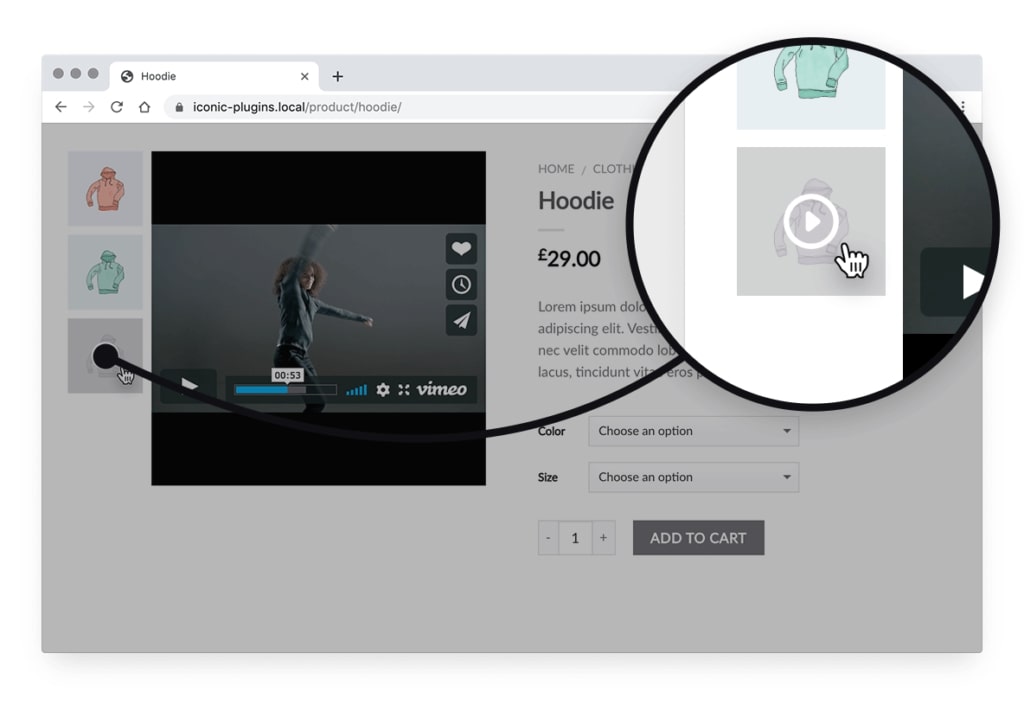
Image source:- Iconic Wp
To upload your product video, these are the steps
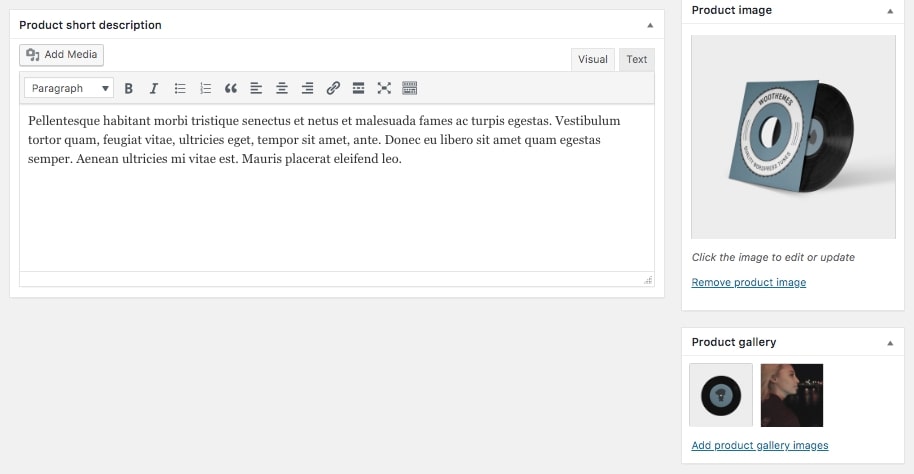
Image source:- Iconic Wp
Here you need to add the thumbnail image for your video. The thumbnail image must be eye-catchy and focused on the niche as this will be the preview before the video plays and will be visible with the play button in your WooCommerce product gallery.
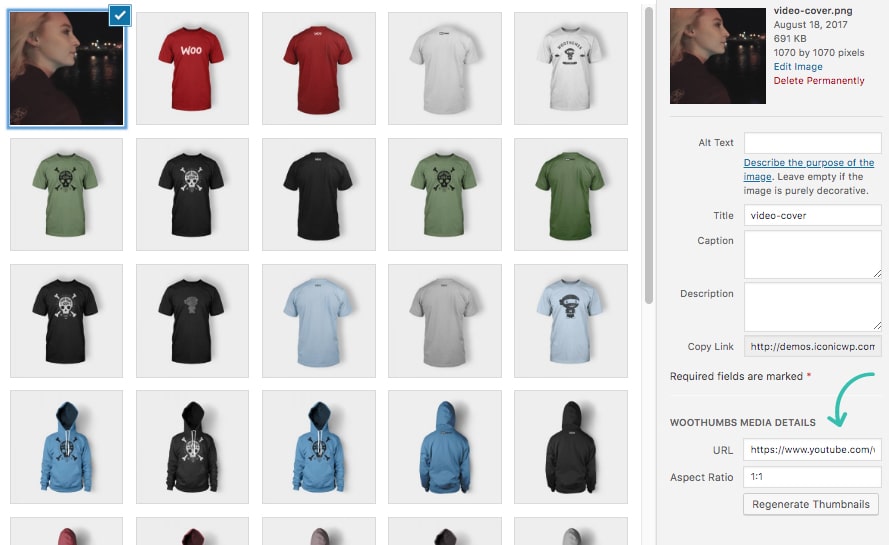
Image source:- Iconic Wp
This is for the beautification as well as the preferred format you wish your product line to look like.
You can make any changes to that such as
We have got the answer to the question on how to add the product video to the WooCommerce store. Video is an essential part of the content strategy and the heartthrob for the users and target audience, it is the most important thing to get your product videos created at first and uploaded to your Product Line.
In case of any concern or expert guidance, you can connect with us over WhatsApp and skype. You can also come down to the comment section!
So, time to focus and maximize your sales.
Happy selling!

Reading Time: 10 minutes SHEIN Marketplace sellers work with two underlying fulfillment models: seller-managed fulfillment,…

Reading Time: 2 minutes Exciting news for WooCommerce sellers! WooCommerce 10.2 is officially launching on…
Reading Time: 2 minutes Release Highlights WooCommerce’s latest updates bring WCAG 2.2 compliance, shareable checkout…
Reading Time: 6 minutes Storytime – Jane, a successful WooCommerce store owner, knew she couldn’t…

Reading Time: 9 minutes As the holiday season approaches, eCommerce businesses are gearing up for…

Reading Time: 7 minutes Imagine this: You’re a WooCommerce store owner in full control of…

Reading Time: 6 minutes According to Morgan and Stanley, the eCommerce market is expected to…

Reading Time: 5 minutes Imagine this: Your fantastic product is all set to take flight…

Reading Time: 4 minutes The potential benefits of multichannel eCommerce are vast if you do…

Reading Time: 5 minutes As technology continues to shape consumer behavior and shopping habits, mastering…